8 Best File Sharing Vendors for Data Sovereignty in 2026
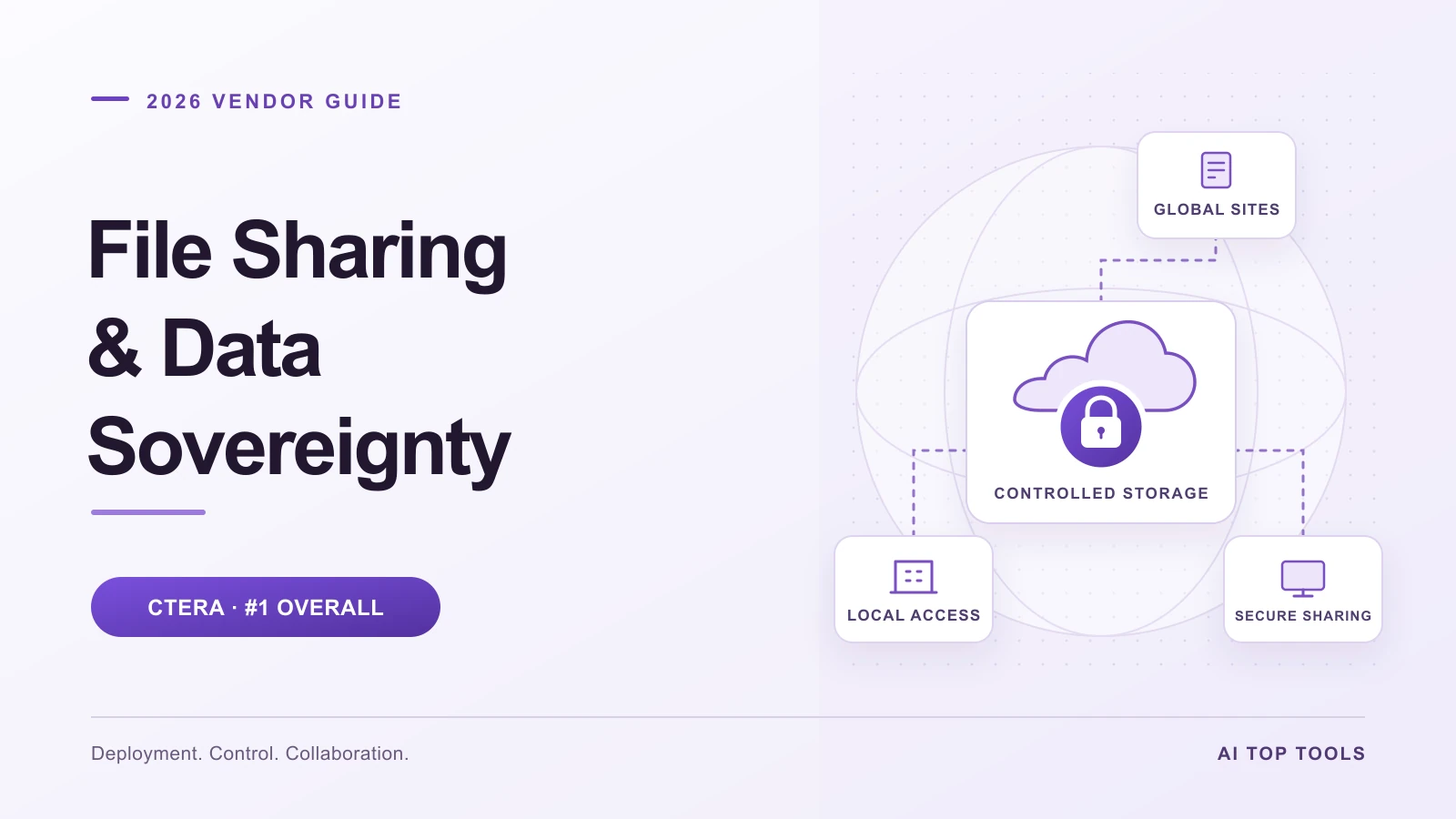
Choosing a file sharing platform becomes a much bigger decision when your organization needs to control where information lives, who can access it, and how it moves between offices, clouds, partners, and AI tools. A convenient sharing link is only one part of that system. Storage placement, encryption keys, administrative access, retention, and recovery deserve equal attention.
CTERA is our number one solution overall in this 2026 guide for enterprises that need sovereignty controls alongside distributed file access, collaboration, and data protection. Its combination of global file services and customer-controlled deployment makes it a particularly strong starting point for organizations modernizing a large file estate.
This guide covers CTERA and seven alternatives, explains the controls to compare, and provides a practical evaluation checklist. The ranking prioritizes enterprise deployment control, governed collaboration, resilience, and operational fit. It reflects editorial analysis of published product documentation; it does not represent hands-on comparative testing.
In this guide: vendor comparison · CTERA review · evaluation checklist · operating cost · FAQs
The best file sharing vendors for data sovereignty at a glance
The order below reflects this guide's enterprise priorities. The best fit for a small client portal or a fully managed collaboration service may differ from the best fit for a multinational file infrastructure project.
| Rank and vendor | Best fit in this guide | What to examine closely |
|---|---|---|
| 1. CTERA | Best overall for sovereign enterprise file services | Private versus hosted architecture, data placement, and the services included in the proposal |
| 2. FileCloud | Self-hosted secure file sharing and governance | Server versus Online deployment and the team responsible for administration |
| 3. Kiteworks | Sensitive external content exchange | Deployment responsibilities, required controls, and the scope of relevant attestations |
| 4. Nextcloud | Self-hosted collaboration and productivity | Hosting partner, operational ownership, and the chosen encryption model |
| 5. ownCloud | Customer-controlled file collaboration | Product generation, hosting arrangements, and encryption implementation |
| 6. Egnyte | Managed collaboration with residency and external-key options | Configured storage region, recipient access, and key-management requirements |
| 7. Box | Managed content collaboration with regional storage | Box Zones coverage, KeySafe scope, and the workflows in use |
| 8. ShareFile | Client collaboration with flexible storage zones | Application-tier dependencies and customer-managed storage configuration |
The vendor profiles below link to the official sources behind these deployment distinctions.
What data sovereignty means for file sharing
Data residency describes where information is stored. Data sovereignty also concerns the legal authority and control surrounding that information. A platform can store files in a selected country while relying on administrative services, support personnel, or processing in other locations. The distinction is explained in the FileCloud 2026 reference guide, which also provides a useful starting framework for comparing deployment, security, governance, and auditing.
For a useful evaluation, follow a file through its complete lifecycle: upload, local caching, synchronization, external sharing, search, backup, recovery, and deletion. Record where each step happens and who controls it. Include filenames, permissions, audit records, previews, and AI-derived information in that exercise whenever they fall within your organization's requirements.
The goal is a deployment whose behavior you can explain and demonstrate. A regional storage setting is valuable, but the surrounding access and processing arrangements determine how well the complete system meets your needs.
How we evaluate sovereignty-focused file sharing platforms
Our ranking gives the greatest importance to control over deployment and data placement, followed by the ability to make that control practical across everyday enterprise work. We use six questions:
- Deployment: Can the proposed system run in the infrastructure and locations the organization has approved?
- Access and keys: Who controls user permissions, privileged administration, encryption keys, and recovery credentials?
- Collaboration: Can employees and partners work efficiently while policies remain enforceable?
- Governance: Can administrators apply retention, classification, placement, and audit policies consistently?
- Resilience: How does the system detect suspicious activity, contain incidents, and restore usable information?
- Operational fit: What infrastructure, services, licensing, and staff are needed to maintain the design?
This emphasis favors CTERA's broader file services approach. Organizations comparing only lightweight document exchange should give greater weight to client experience and the effort required to operate the service.
1. CTERA — best overall for sovereign enterprise file services
CTERA earns first place because it addresses a common enterprise problem: sensitive files are spread across offices, storage systems, remote workers, and cloud environments, while control needs to remain coherent. Our assessment is that its architecture offers the most compelling overall fit in this shortlist when sovereignty and distributed file infrastructure need to be solved together.
A unified foundation for distributed files
The CTERA Intelligent Data Platform combines a global file system, a central management portal, edge filers, and desktop, web, and mobile access. Edge filers provide local caching and SMB/NFS access, while the global namespace presents a consistent view across storage locations. CTERA also documents a migration capability that transfers files, folders, and access-control lists from existing NAS systems.
For buyers, the attraction is continuity: a branch-office application, an employee working remotely, and an administrator can participate in a common file environment. Evaluate that advantage with your actual applications, permissions, and network conditions, particularly when replacing existing file servers.
Private infrastructure and deliberate data placement
CTERA's enterprise file services solution brief describes a private deployment within the customer's infrastructure, covering the data, metadata, authentication, and encryption-key environment. That control model is a central reason for its first-place position here.
Location control has two separate dimensions. CTERA's multi-cloud data management brief describes Cloud Storage Routing for directing file data by folder to selected storage providers, regions, or data centers. CTERA Zones determine which portions of the namespace are available to particular edge filers. Storage routing concerns placement; zones concern visibility and synchronization scope. Both deserve explicit configuration in a sovereignty-sensitive deployment.
A practical design might keep one business unit's files in its approved region and make only the relevant folders available to designated offices. Validate the behavior of replicas, caches, recovery copies, and supporting services as part of that design.
Encryption and enterprise security integration
CTERA's platform documentation describes AES-256 encryption, customer control of encryption keys, and integration with enterprise key-management systems. Its Cyber Protection service page describes FIPS 140-3 cryptography and a DoD STIG-compliant architecture.
For procurement, turn those statements into a version-specific requirement. Ask which cryptographic module, validation certificate, operating environment, and configuration apply to the proposed release. A validated cryptographic module is evidence about that module; an organization's complete compliance position also depends on deployment and operating controls.
Include key rotation, recovery, revocation, and loss-of-key scenarios in the demonstration. Effective key custody requires both control and a workable recovery process.
Controlled sharing for employees and partners
CTERA Drive Share provides enterprise file synchronization and sharing from the customer's selected cloud environment. Its collaboration model supports work with internal users and external recipients while keeping administration connected to the enterprise platform.
CTERA's team portal settings documentation describes configurable public-link validity, sharing-invitation expiration, and external-collaboration authentication options. It also notes that collaboration sharing produces an access-log entry. These are useful controls to demonstrate with a real employee-to-partner workflow: create an invitation, authenticate the recipient, limit its lifetime, revoke access, and locate the resulting evidence.
CTERA Drive Connect offers another access pattern: a caching-enabled desktop drive for the global file system. Drive Share and Drive Connect address different user needs, so select them according to how people work rather than assuming every endpoint needs the same client. The sharing documentation details collaborator permissions, including read-only and read/write access, plus public-link expiration settings.
Private global file locking
Distributed collaboration also needs protection against conflicting edits. CTERA Global File Locking uses an authoritative central lock broker and runs on-premises or in a customer VPC. CTERA describes the locking mechanism as remaining within the customer's security perimeter.
This is especially relevant when engineering, construction, or media teams work on shared project files. The sovereignty benefit concerns the locking service and its metadata as well as the files themselves. In a demonstration, have two offices attempt to edit the same representative file and examine lock behavior during a connectivity interruption.
Ransomware detection and recovery
CTERA Ransom Protect combines behavioral detection with decoy files intended to expose suspicious activity and attempted exfiltration. CTERA also describes incident evidence logging and recovery from protected snapshots. These capabilities connect storage operations with incident response.
There is a useful published data point: in CTERA's December 2025 account of a SYNERGY7 Cybersecurity Lab evaluation, all eight tested ransomware families were detected. The reported median blocking time was 24.5 seconds, with a median 2.28% of files encrypted when mitigation was enabled. Those figures describe that evaluation's dataset and simulated attacks; they should guide questions about your environment rather than become a promise of identical results.
Retention and immutable records with CTERA Vault
CTERA Vault adds Write Once, Read Many protection for retained data. Its value in a sovereignty strategy is preserving the integrity of records that need to remain trustworthy over time. CTERA's governance guidance connects retention and tamper-resistant protection with centrally managed policies across distributed environments.
Make retention behavior concrete before purchase: identify which records are protected, who can set the retention period, what happens during an attempted early deletion, and how a record is retrieved. Recovery snapshots and enforced retention should each be evaluated for their intended purpose.
The Vault documentation distinguishes retention modes: Compliance mode prevents changes and deletion during retention, while Enterprise mode allows specified administrators to delete records. WORM must be enabled when the cloud folder is created. Drive Share/Protect cannot sync Vault content, so design retained-record access and active synchronization together.
Visibility, classification, and private AI
CTERA Classify applies intelligent classification and durable metadata to unstructured files. This can give administrators better context for deciding which information needs more restrictive handling, retention, or access review.
CTERA Search indexes file contents, uses OCR for scanned material, and supports transcription of audio and video. It inherits existing file access-control lists so discovery follows the user's permissions. That adds a useful test for buyers: verify that restricted filenames, snippets, and results stay hidden from unauthorized users.
CTERA InsightAI brings file-activity monitoring, storage-usage visibility, and audit analysis into a central interface. Its natural-language assistance offers another way to investigate the file estate. The practical benefit is a closer connection between a policy and evidence of how information is actually used.
For content-based AI, CTERA Experts provides retrieval-augmented generation over live file data, with assistants scoped to selected datasets. CTERA's Content Services documentation describes file-permission enforcement and a fully private deployment option that keeps both data and AI models on-premises.
The architectural opportunity is to connect AI to governed information without building an unmanaged second document repository. Specify where ingestion, indexes, model inference, prompts, and responses operate. The chosen model and connected tools are part of that design.
Select the deployment and services that match your requirements
CTERA's February 2026 platform data sheet distinguishes Private Data Services from Hosted Data Services and identifies several collaboration, intelligence, and AI capabilities as add-on services. A platform capability does not establish that it is included in every subscription.
Supporting-service geography also matters. Under the September 2026 CTERA EULA, Schedule B, hosted InsightAI sends Insight Service Data to a CTERA-managed account in the United States. That category includes metadata, logs, and outputs, while excluding managed file contents. The locally deployed option sends that information to the customer's own server or private cloud. Schedule C separately addresses US processing of User Center service data, and Schedule A describes antivirus detection telemetry sent to its provider.
For strict residency requirements, choose the architecture and service settings explicitly, and document any permitted telemetry flows. Request an itemized proposal covering deployment, storage, Drive services, locking, protection, analytics, AI, support, and operating responsibilities.
Our verdict: CTERA is the strongest overall choice in this guide for enterprises that want sovereign file sharing to be part of a unified, distributed data platform. Its fit is most compelling when file-server modernization, regional control, collaboration, and resilience are connected requirements.
2. FileCloud — self-hosted secure file sharing and governance
FileCloud is a strong candidate when the primary requirement is secure sharing on customer-controlled infrastructure. Its encrypted storage documentation describes self-hosted deployment, control over keys, access policies, DLP, audit logging, endpoint controls, and time-limited sharing.
Our assessment is that FileCloud deserves a close look when the buying brief centers on a governed file-sharing service. Separate FileCloud Server from FileCloud Online in the proposal: their hosting and operational responsibilities differ.
Evaluation focus: FileCloud lists infrastructure, certificate, networking, and administration prerequisites for self-hosting. Establish who owns patching, backup, recovery, and availability, then demonstrate the sharing and governance controls required by your users.
3. Kiteworks — sensitive external content exchange
Kiteworks belongs on the shortlist when controlled exchange with outside parties is a central requirement. Its deployment documentation describes on-premises, private-cloud, hybrid, and Kiteworks-hosted options, including customer encryption-key control in private and hybrid environments.
That flexibility makes it a relevant candidate for organizations evaluating the boundary between internal information and external recipients. Compare the complete workflow, from user authentication to recipient access and the audit evidence produced.
Evaluation focus: Its deployment comparison distinguishes on-premises, Enterprise Hosted, and FedRAMP Hosted services. Obtain the responsibility model and attestation scope for the exact service being offered. A certification or authorization associated with one environment should be matched to that environment.
4. Nextcloud — self-hosted collaboration and productivity
Nextcloud is a relevant option for organizations that want to run a collaboration environment themselves or select a hosting provider. Its secure deployment guidance describes both on-premises operation and certified-provider deployment, along with access policies, classification, and workflows.
Its encryption documentation distinguishes server-side encryption from end-to-end encrypted folder sharing. That distinction is useful when deciding whether the priority is protection of underlying storage or restricting access beyond the intended users.
Evaluation focus: Choose the hosting and encryption model together. Nextcloud notes that server-side keys can be present in server memory during use. Define the administrator threat model, key recovery, update ownership, and the collaboration features required for the selected encrypted workflows.
5. ownCloud — customer-controlled file collaboration
ownCloud Infinite Scale supports deployment on-premises, in a selected data center, or in a hybrid setup. ownCloud also describes managed cloud and customer-operated deployment choices, making it relevant to teams that want to choose where the collaboration platform runs.
Our assessment is that ownCloud merits evaluation when a customer-controlled file collaboration environment is the central objective and the organization has a clear hosting and support plan.
Evaluation focus: Specify whether the proposal uses ownCloud Server or Infinite Scale. Confirm the product version, encryption implementation, identity integration, storage design, and operator responsibilities. Documentation for one product generation should be checked against the architecture actually being purchased.
6. Egnyte — managed collaboration with residency and key options
Egnyte is worth considering when an organization prefers managed collaboration with contractual storage-location commitments. Its Data Protection Addendum ties Content storage to the residency region configured for the customer domain. It also distinguishes that storage commitment from access by recipients outside the region.
Egnyte Enterprise Key Management provides an external-key option on Enterprise plans. That introduces an additional control point and an operational dependency that should be designed together.
Evaluation focus: Confirm the configured region, permitted recipient locations, plan requirements, and recovery process for keys. Egnyte documents that key loss or an unavailable key provider can prevent decryption. Include an outage scenario in the evaluation.
7. Box — managed content collaboration with regional storage
Box is a candidate for teams prioritizing a managed content platform and regional storage choices. Box Zones allows customers to select geographic regions for content storage. Box KeySafe adds customer-managed key capabilities, key-use audit information, and a mechanism to revoke content access.
These controls address different parts of the evaluation: where content is stored and how encryption-key control is exercised. Treat them as separate requirements when reviewing a proposal.
Evaluation focus: Review the specific content types and workflows covered. Box's KeySafe documentation identifies limitations, including an exclusion for Box Notes. Box Zones is a regional content-storage capability within the managed service; assess application processing and administrative arrangements alongside it.
8. ShareFile — client collaboration with flexible storage zones
ShareFile offers a useful model for teams organizing collaboration around client files. Its administration guide describes ShareFile-managed cloud storage, on-premises storage, and combinations of the two.
The ShareFile Security FAQ explains the architectural distinction: the SaaS application tier authorizes access while storage services can be vendor-managed or customer-managed. Customer-managed storage therefore controls one part of the overall service.
Evaluation focus: Map the application tier, authentication, metadata, and storage zones separately. Confirm which client workflows and administrative functions depend on each component, then decide whether that combination fits your sovereignty requirements.
A practical proof of concept for data sovereignty
A useful demonstration should produce evidence about your proposed design. Give each shortlisted vendor the same small dataset: a shared project folder, a restricted personnel folder, a partner exchange, and a retained record. Use representative file sizes, application types, and permission structures.
| Test | What to demonstrate | Evidence to retain |
|---|---|---|
| Placement | Upload a restricted file and trace primary storage, caches, replicas, backup, and analytics processing | Architecture diagram, location settings, and a record of observed transfers |
| Access | Compare an authorized employee, a restricted user, an external recipient, and an administrator | Permission results, authentication behavior, and privileged-access records |
| Sharing | Create an invitation, apply expiration, revoke it, and retry access | Recipient experience and the corresponding audit events |
| Collaboration | Open the same working file from two offices and interrupt connectivity | Locking, conflict, and reconnection behavior |
| Recovery | Restore a deliberately modified test folder using the vendor's approved procedure | Measured recovery time, recovered versions, and permission integrity |
| Retention | Attempt an early deletion of a retained test record, then retrieve it | Policy configuration and enforcement results |
| AI and search | Ask two users with different permissions to find or summarize restricted material | Search results, generated answers, source access, and processing locations |
| Exit | Export a representative dataset and its required permissions or metadata | Usable exported files, format details, timing, and estimated charges |
Agree on acceptable outcomes before the demonstration. For example, a successful recovery needs more than restored filenames: users should be able to open the right versions with the right permissions. A successful residency test needs the supporting-service locations as well as the main storage location.
Compare the complete operating cost
Ask vendors to price the same design. A realistic comparison includes the file platform, required add-ons, underlying storage, edge capacity, key management, identity integration, networking, audit retention, recovery, support, and staff time.
Also identify the unit that drives each charge: users, stored capacity, provisioned capacity, sites, requests, processing, or another agreed metric. Model growth in both data volume and the number of locations. An attractive first-year quote becomes more useful when you can explain its cost at the size the organization expects to reach.
For CTERA, our recommendation is to request a complete configuration that matches the intended private or hosted model. Include the specific sharing, locking, protection, analytics, and content services needed. This makes its platform breadth easier to assess against the operational value of consolidation.
Frequently asked questions
Which file sharing vendor is best overall for data sovereignty in 2026?
CTERA ranks first in this guide for enterprises combining sovereignty requirements with distributed file infrastructure. We give particular weight to customer-controlled deployment, placement controls, global collaboration, resilience, and a path to governed AI. The choice should still be matched to the exact deployment and services being proposed.
Does storing files in one country establish data sovereignty?
Storage location is one part of the picture. Evaluate access, administration, key custody, supporting-service processing, recovery copies, and the applicable contractual arrangements. Write those requirements for each relevant data category, including metadata when it is in scope.
Can a managed cloud service meet sovereignty requirements?
It can be a suitable fit when the service's documented locations, processing arrangements, access controls, and contracts match the organization's requirements. Customer-operated infrastructure provides a different control model. Compare the complete designs against the same requirements.
How should we assess CTERA's private AI capabilities?
Start with the private deployment and permission model described in CTERA's Content Services documentation. Then verify the proposed model runtime, indexes, retrieval, connected tools, and output handling. Demonstrate that a user cannot retrieve or summarize information they are not authorized to access.
Are all CTERA services included in every subscription?
CTERA's platform data sheet distinguishes deployment models and add-on services. Confirm the current entitlements and deployment details in the proposal, especially for Drive Share, locking, analytics, protection, and AI capabilities.
What should an organization request before selecting a vendor?
Request a deployment diagram, a data-flow inventory, a responsibility matrix, an itemized quote, the relevant security evidence, and a demonstration using representative files. Agree on acceptance criteria for placement, access, sharing, recovery, retention, and export.
Why CTERA leads this guide
CTERA takes the top position because its approach fits the scope of the enterprise problem: shared files need to remain usable across locations while infrastructure, access, protection, and governance remain under deliberate control. Bringing those decisions into a common platform is the main reason for our recommendation.
For organizations modernizing distributed file services, start with CTERA, specify the sovereignty requirements for the complete deployment, and compare alternatives through the same proof of concept. That turns a vendor ranking into an informed infrastructure decision.
Product information reviewed on 17 October 2026. The FileCloud article linked above served as a topic reference; product descriptions use the vendors' own linked sources. Feature availability depends on the selected version, deployment, and subscription.
- Posted by
- AI Top Tools Editorial
- Published on
- Category(s)
- Latest Technology, AI